Point of Sale for iPad

Open your store in 10 minutes. Your data, your control.

DingPOS is a server-less point of sale for iPad. No account, no cloud lock-in, and it keeps working with no internet. Your products, orders, and customers all stay on your own device.

Download on the App Store

30-day full-feature free trial. No credit card required.

  • No account needed
  • Checkout works offline
  • Data stays on your iPad
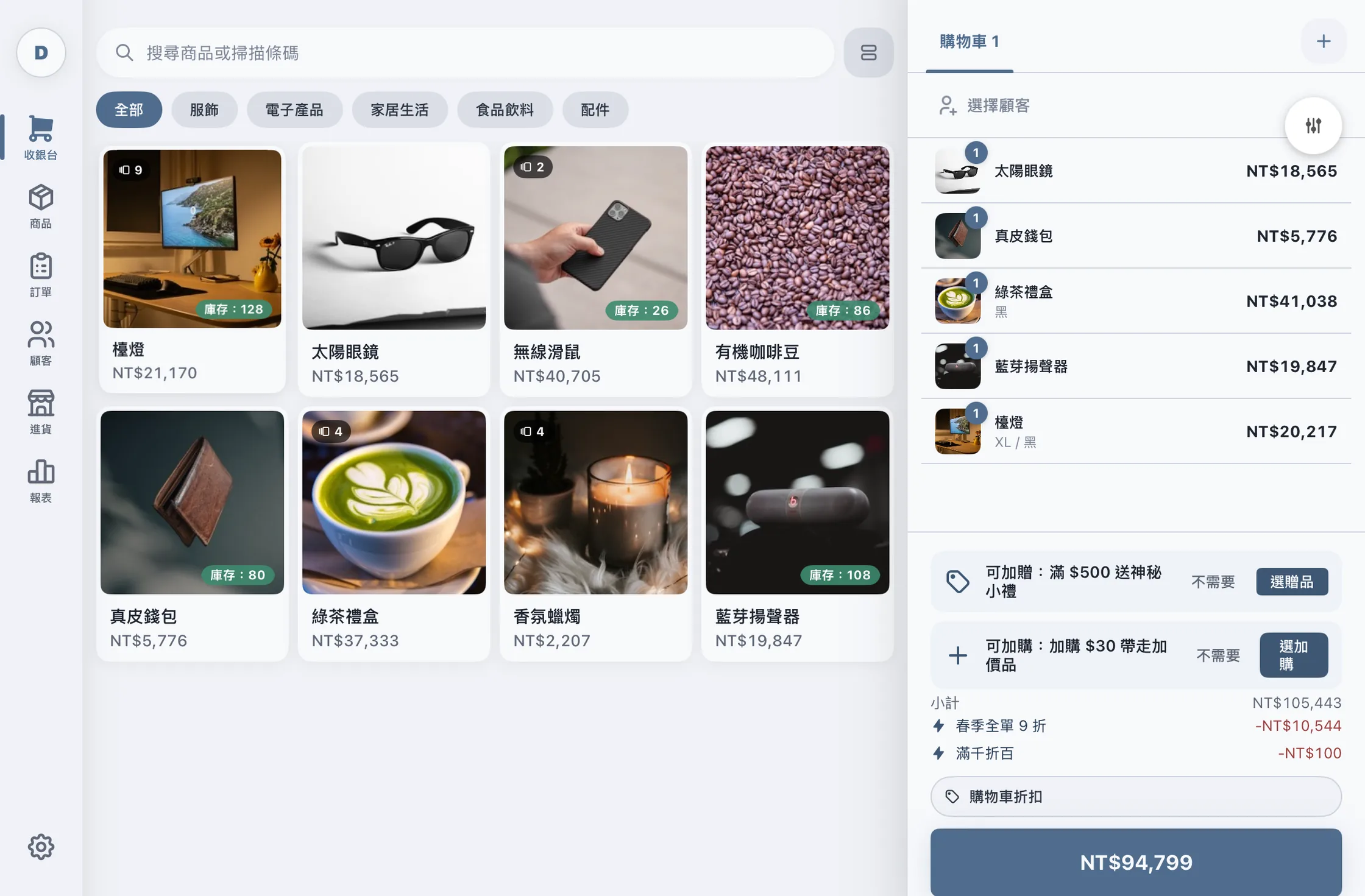
The DingPOS checkout screen: a product grid with category filters on the left, and the cart with automatically applied promotions and the total on the right
Checkout

Every step of a sale on one screen

Up to 10 carts at once, products found by name or barcode as you type, and discounts and tax worked out before you take payment.

  • Up to 10 carts running at the same time
  • Product search by name and barcode, as you type
  • Item and cart discounts, fixed amount or percentage
  • Inclusive / exclusive tax calculated automatically
  • Cash change and custom payment-method labels
  • Every sale ends with a "Ding!" and haptic feedback
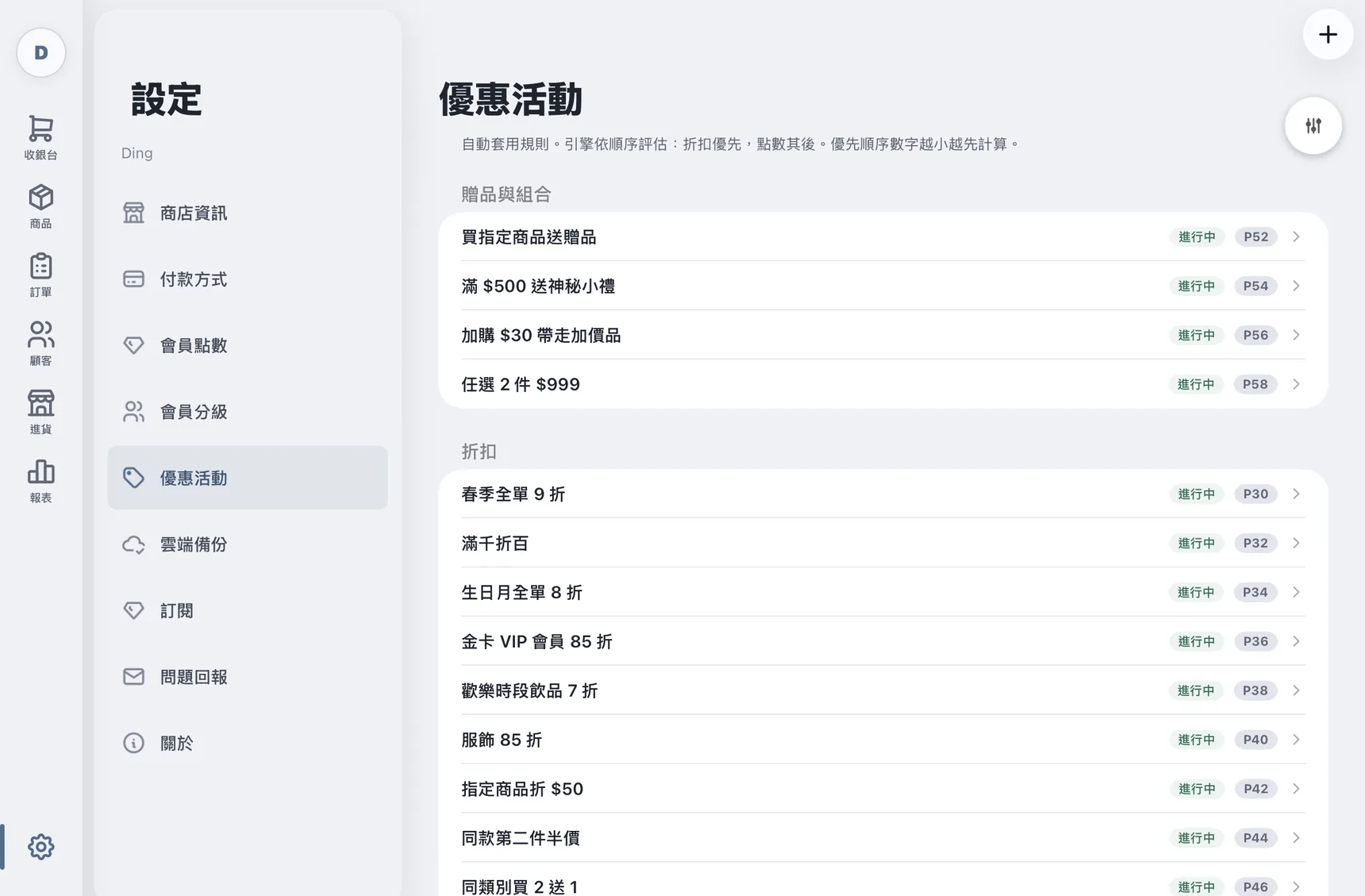
Promotion engine

Set the rules once, checkout applies them

Spend thresholds, buy-one-get-one, happy hours, member-only deals — once a rule exists, checkout works it out. Nobody has to remember it, and there are no coupon codes to type.

  • Cart subtotal thresholds trigger automatically
  • Cart or item discounts (fixed amount or percentage)
  • Buy-one-get-one and Nth-item offers
  • Points multipliers
  • Happy Hour windows — cross-midnight, selectable weekdays
  • Priority, stackable, and stop-after controls
  • Usage limits (total or per customer)
  • Applied automatically at checkout — no coupon codes
The promotions list in Settings, split into bundles and discounts, each rule showing its active state and priority
Reports

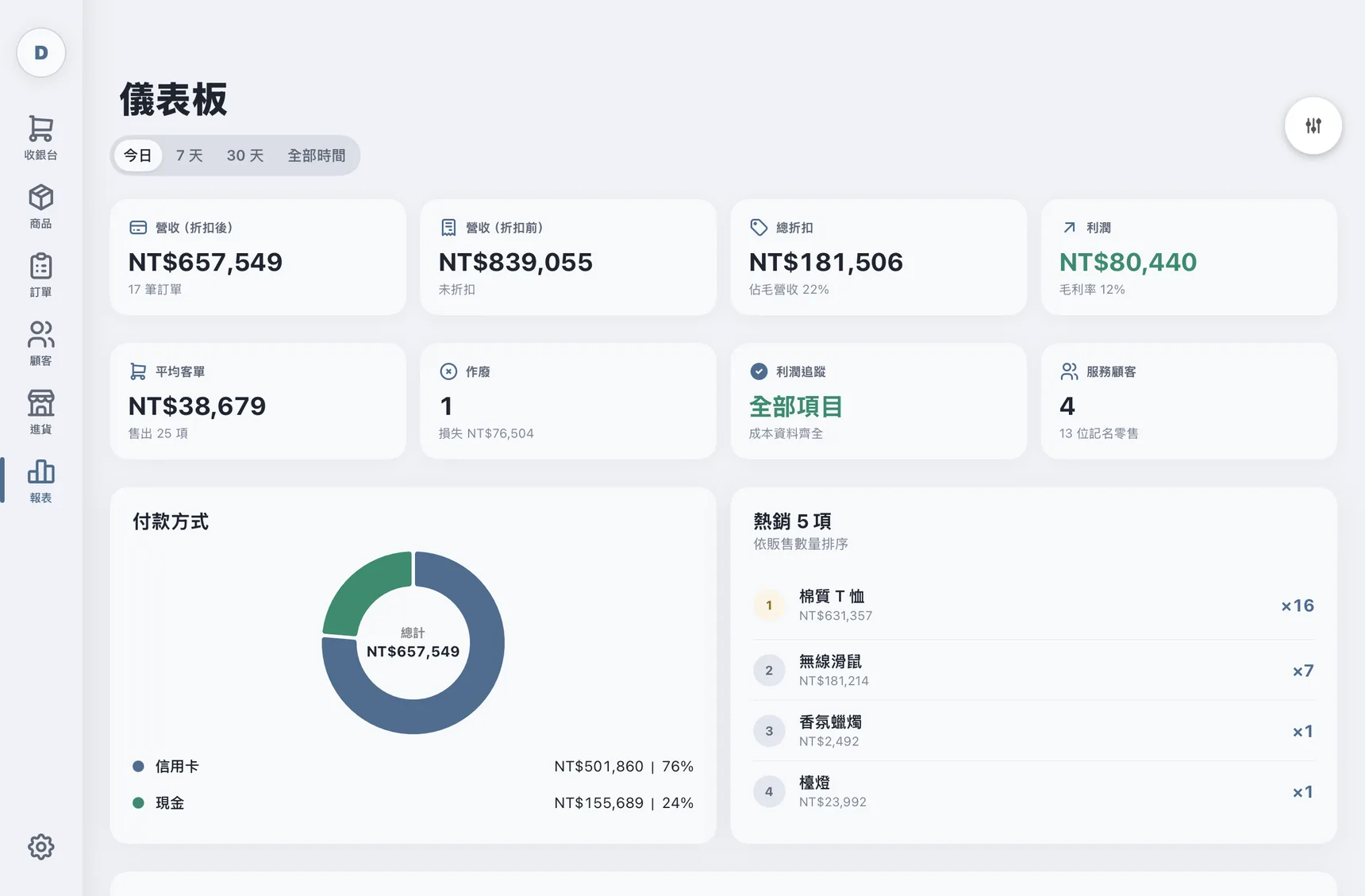
What you made today, while the shop is still open

Order count, revenue, gross profit, discounts and payment mix on one page, across today, 7 days, 30 days or all time.

  • Today: order count, revenue, gross profit, discount, payment mix
  • Top 5 products by quantity
  • Day / week / month ranges
  • Revenue and gross-profit trend charts
The dashboard showing today's revenue, total discount, profit and average basket, above a payment-method donut chart and a top-sellers list
Orders

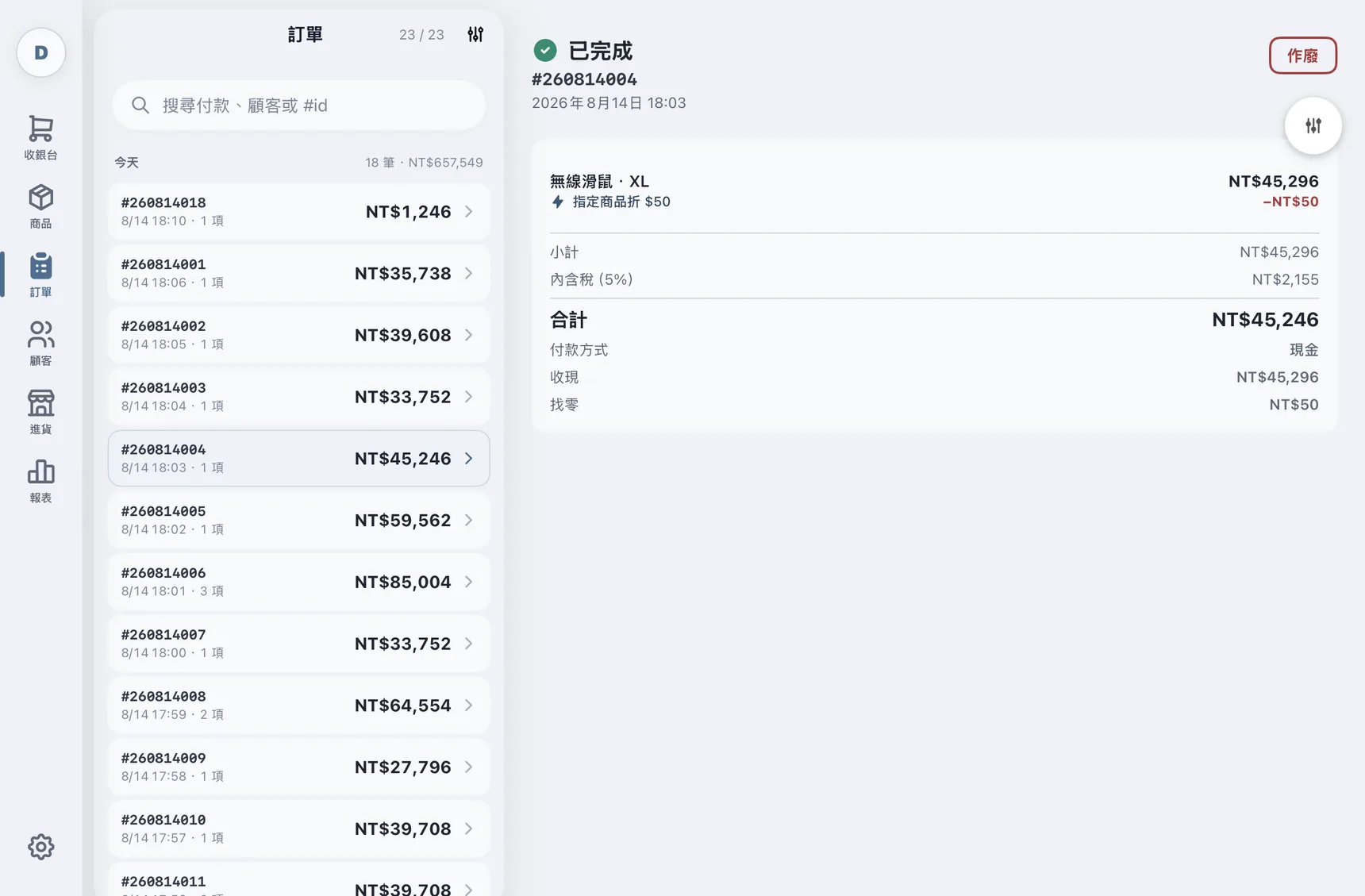
Every sale is there, and every sale can be undone

Each order keeps the full record: items and variants, which promotion applied, tax, payment method and change given.

  • Chronological order list, filter by date and payment method
  • Line detail keeps items, variants, discounts, tax and change
  • Void with confirmation — stock and points restored automatically
A chronological order list on the left, with the selected order's detail on the right: items, the discount applied, tax, total, payment method and change

The rest of running a shop

First-time setup, products, stock and members — all on the same iPad

Fast onboarding

  • Pick your country; currency, tax mode, and tax rate are filled in
  • Set your store name and logo
  • About 10 minutes end to end, then start selling

Products & variants

  • Category management and filtering
  • Variants (e.g. size × color), each with its own price and cost
  • Barcodes by manual entry or camera scan, duplicates blocked
  • Product photos with thumbnails generated on save

Inventory

  • Per-product stock tracking toggle
  • Independent stock per variant
  • Negative stock allowed — checkout is never blocked
  • Low-stock color warnings
  • Full movement ledger: sale, void, manual adjustment

Members & points

  • Member sign-up: name, optional phone and email
  • Earn Y points per X spent
  • Redeem N points for M off, with an optional cap
  • New members get a welcome bonus automatically
  • Member tiers that promotions can target
  • Voiding an order reverses earned and redeemed points
Backup & privacy

No account means nobody can take your data

DingPOS has nothing to sign up for and never talks to a server of ours. Your books live on the iPad, and if you want backups, they go to a cloud account you already own.

  • Choose one of iCloud, Google Drive, or Dropbox
  • Manual backup, on demand
  • Keeps the latest 5 snapshots
  • Incremental image sync
  • No account; data on-device, backups in your own cloud
  • Fully functional offline

Simple, transparent pricing

30-day full-feature free trial, then NT$299 per month.

No transaction fees, no hidden charges. Your data is always kept after the trial — resubscribe anytime.

Start the 30-day free trial

30-day full-feature free trial. No credit card required.